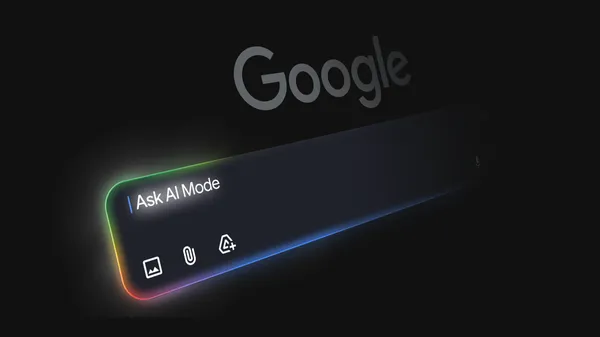
Google has expanded access to its AI-powered note-taking app, Canvas in AI Mode, making it available to all users in the United States and introducing significant new generative capabilities. This move signals Google's continued push to integrate AI deeply into its productivity suite, directly challenging established players like Notion and Microsoft while leveraging its own foundational models to create more intuitive, assistive workflows.
Key Takeaways
- Canvas in AI Mode, Google's AI-enhanced note-taking app, is now generally available to all users in the U.S.
- The app has gained new generative features, including the ability to draft documents and build interactive tools from natural language prompts.
- This expansion represents a key step in Google's strategy to infuse AI across its Workspace ecosystem and compete in the AI-powered productivity space.
Canvas in AI Mode: From Note-Taking to Generative Workspace
Previously in a limited testing phase, Canvas in AI Mode is now a fully launched product for the U.S. market. The core premise remains a digital whiteboard or canvas where users can organize ideas, but it is now supercharged with Google's generative AI. The most notable upgrade is the integration of new creation tools. Users can now prompt the AI to draft entire documents—such as project plans, blog outlines, or meeting agendas—directly onto the canvas. Furthermore, the platform can generate interactive tools, which could include simple calculators, forms, or task trackers, all built from a text description.
This evolution transforms the app from a passive organization tool into an active creation partner. By handling the structural and compositional heavy lifting, the AI allows users to focus on higher-level strategy and refinement. The integration is likely seamless with the broader Google Workspace environment, suggesting easy export or linking to Docs, Sheets, and Slides, reinforcing Google's ecosystem lock-in strategy.
Industry Context & Analysis
Google's general release of Canvas in AI Mode is a direct salvo in the intensifying battle for the future of AI-powered productivity. It places Google in direct competition with several established and emerging players, each with different strategic advantages.
Unlike Notion, which has built its entire platform around a modular, database-driven architecture and has cultivated a massive community (with templates garnering millions of uses), Google's approach leverages its deep integration with the ubiquitous Gmail, Drive, and Meet suite used by over 3 billion global accounts. While Notion's AI add-on requires a separate subscription, Google is likely bundling Canvas AI features into its existing Google Workspace tiers, using AI as a value driver for its core enterprise and consumer subscriptions.
Compared to Microsoft's Copilot integration across Microsoft 365 apps (Word, Excel, PowerPoint), Google's Canvas takes a more visual and free-form approach. Microsoft's strength lies in deeply embedding AI into specific, task-heavy applications (e.g., writing assistance in Word, formula generation in Excel). Google Canvas, conversely, seems aimed at the earlier, more chaotic stages of work—brainstorming and planning—before a task is funneled into a specific document type. This follows a broader industry pattern of AI moving "upstream" in the creative process, from editing to originating content and structure.
Technically, this launch is a key application of Google's Gemini family of models. While not specified in the announcement, the multi-modal and reasoning capabilities of models like Gemini 1.5 Pro would be ideal for parsing ambiguous user prompts on a canvas and generating both text and functional interactive elements. The success of this feature hinges on the model's ability to execute tool-use or function-calling—interpreting a request like "build a project timeline" and correctly generating a structured table or chart widget—a complex benchmark beyond standard text completion.
What This Means Going Forward
The general availability of Canvas in AI Mode will accelerate the normalization of AI as a collaborative partner in everyday work. Enterprise teams and individual power users in the U.S. will be the immediate beneficiaries, gaining a new tool to rapidly prototype ideas and documents. For Google, this is a critical test of user adoption for a ground-up AI-native app, providing invaluable data on how users interact with generative features in a visual workspace, which will inform future integrations across Slides, Drawings, and even Google Meet.
Looking ahead, the key metrics to watch will be user engagement within the app and the rate of cross-pollination into other Workspace apps. The strategic battleground will be the "front end" of the workflow. If Canvas becomes the default starting point for projects, it could siphon users from competitors' platforms. The next logical steps include expanding availability globally, adding more specialized template and tool-generation capabilities, and potentially opening an API or plugin ecosystem to allow third-party interactive tools, similar to Notion's community-driven model.
Ultimately, this launch is less about a single note-taking app and more about Google staking its claim on the AI-augmented thought process. The long-term impact will be measured by whether it can create a new, sticky user habit: beginning not with a blank document, but with a conversation with an AI on a limitless canvas.